Understanding Raster vs Vector Graphics: Key Differences Explained
Learn the differences between raster and vector graphics, explore popular image formats, and understand how to choose the right format for professional graphic design.

Understanding Raster vs Vector Graphics: Key Differences Explained
Digital images play an important role in graphic design, website development, advertising, branding, and digital marketing. From creating social media posts to designing company logos and website banners, choosing the right image format is essential for achieving professional results.
One of the fundamental concepts in digital graphic design is understanding raster vs vector graphics. Both formats are widely used by designers, but they differ in how images are created, stored, edited, and resized.
Knowing the difference between raster and vector images helps designers maintain image quality, choose suitable file formats, and create visuals for different platforms. Whether you are a beginner or an aspiring graphic designer, understanding these concepts is an important step towards developing professional design skills.
What Are Raster Graphics?
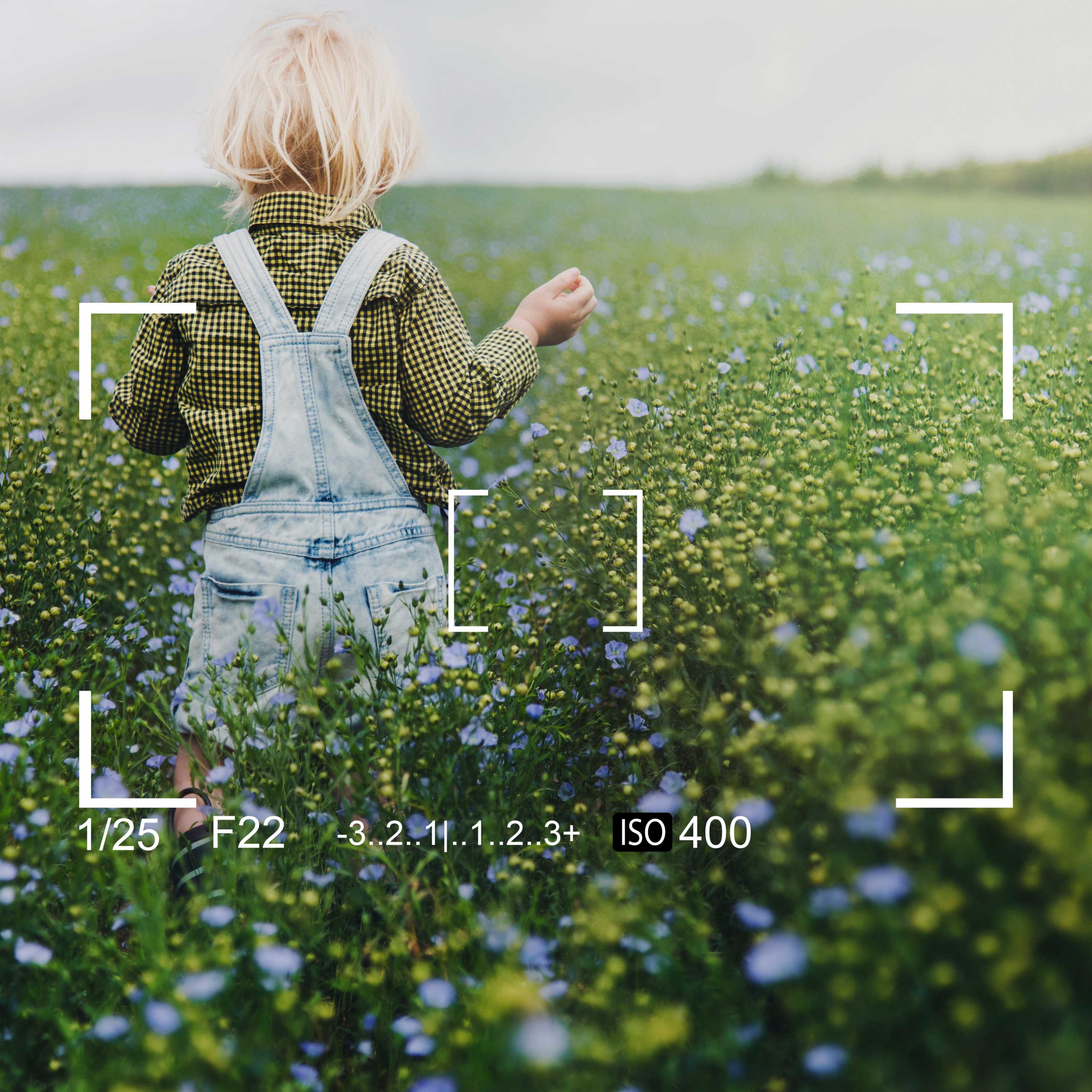
Raster graphics are digital images made up of tiny squares called pixels. Each pixel contains colour information, and thousands or millions of pixels combine to form a complete image.
These are commonly known as pixel-based images because their quality depends on the number of pixels in the image. Raster graphics are widely used in digital photography, image editing, and visual content creation.
Raster graphics are mainly used for:
- Digital photographs.
- Social media posts and advertisements.
- Website banners and promotional images.
- Digital paintings and realistic illustrations.
- Photo editing and image manipulation.
When a raster image is enlarged beyond its original resolution, individual pixels may become visible, making the image look blurry or distorted. Therefore, designers should consider the final display or print size before creating or exporting raster images.
What Are Vector Graphics?
Vector graphics are digital images created using mathematical paths, points, curves, and geometric shapes rather than individual pixels.
Their biggest advantage is scalability. Unlike raster images, resolution-independent graphics can be enlarged or reduced without losing their sharpness. The design software uses mathematical information to recreate the shapes at different sizes.
Vector graphics are commonly used for:
- Company logos and brand identities.
- Icons and symbols.
- Illustrations and infographics.
- Typography and graphic elements.
- Business cards and marketing materials.
Vector graphics are particularly useful when the same design needs to be displayed across different sizes, from small mobile screens to large outdoor banners.
Key Differences Between Raster and Vector Graphics
Understanding raster and vector differences helps designers select the correct format for their projects. Although both formats are used to create digital visuals, their structure, editing methods, and resizing capabilities are different.
| Feature | Raster Graphics | Vector Graphics |
|---|---|---|
| Structure | Made of pixels | Made of paths and shapes |
| Quality | Depends on resolution | Maintains sharpness when resized |
| Scalability | May become pixelated | Can scale without quality loss |
| Editing | Pixel-level editing | Object and path-based editing |
| Best Use | Photographs and detailed images | Logos, icons, and illustrations |
| File Size | Depends on dimensions and compression | Depends on design complexity |
| Common Formats | JPEG, PNG, GIF, TIFF | SVG, AI, EPS |
The main difference between raster and vector images is how they store visual information and respond to resizing. Raster images store colour information in pixels, while vector graphics describe shapes through mathematical paths and objects.
Understanding Image Resolution and Scalability
Image resolution and scalability are important concepts in professional graphic design. Understanding them helps designers prepare suitable visuals for websites, social media, advertisements, and print materials.
Image Resolution
Resolution refers to the amount of detail an image contains. Raster images are commonly measured in pixels, while print resolution is often measured in pixels per inch (PPI).
A higher-resolution image generally contains more visual detail and is suitable for larger displays or high-quality printing, provided the original image has sufficient detail.
Image Scalability
Scalability refers to the ability to resize an image without affecting its quality.
Raster images may lose clarity when enlarged beyond their original dimensions. Vector graphics maintain their sharpness because they use mathematical calculations to recreate shapes at different sizes.
Understanding these concepts helps designers prepare images correctly for websites, social media, and print materials.
Common Raster Image File Formats: JPEG, PNG, GIF, and TIFF
Different raster image formats are designed for different purposes. Choosing the right format can help balance image quality, transparency, file size, and compatibility.
JPEG
JPEG is commonly used for photographs and website images. It reduces file size through lossy compression, making it useful when smaller image files are required.
PNG
PNG supports transparency and is suitable for graphics, digital illustrations, and images requiring transparent backgrounds. It uses lossless compression.
GIF
GIF supports simple animations and uses a limited colour palette. It is often used for basic animated graphics and short visual effects.
TIFF
TIFF is commonly used in professional photography, image editing, and high-quality printing workflows where image detail and editing flexibility are important.
Selecting the appropriate raster image format helps maintain image quality while managing storage and loading requirements.
Popular Vector File Formats: SVG, AI, EPS, and PDF
Vector image formats are widely used in professional graphic design and branding. They allow designers to create artwork that can be adjusted for different applications and output sizes.
SVG
SVG is a web-friendly format used for scalable icons, illustrations, and website graphics. It can display vector artwork at different sizes without the usual pixelation associated with raster images.
AI
AI is Adobe Illustrator's native format, commonly used for creating and editing vector artwork. It helps designers work with paths, shapes, layers, and other editable design elements.
EPS
EPS is used for exchanging vector artwork between design applications and professional printing workflows. It can preserve vector elements for suitable output requirements.
PDF can preserve vector elements, fonts, and layouts when exported with appropriate settings. It is widely used for sharing finished designs and preparing documents for printing.
These formats help designers maintain consistent visual quality across different applications and output sizes.
Advantages and Disadvantages of Raster Graphics
Raster graphics are useful for creating detailed and realistic visuals. They support complex colour variations, textures, and photographic effects, making them suitable for many digital design projects.
Advantages of Raster Graphics
- Excellent for photographs and realistic images.
- Supports complex colours, gradients, and textures.
- Suitable for detailed digital artwork.
- Compatible with most digital platforms.
Disadvantages of Raster Graphics
- May become pixelated when enlarged beyond the original resolution.
- High-resolution files can require more storage.
- Image quality depends on the original resolution.
- Editing individual objects can be difficult.
Advantages and Disadvantages of Vector Graphics
Vector graphics offer flexibility and scalability for many design projects. They are particularly useful for branding, illustrations, icons, and artwork that needs to be reproduced in different sizes.
Advantages of Vector Graphics
- Can be resized without losing sharpness.
- Ideal for logos, icons, and illustrations.
- Individual design elements are easy to edit.
- Suitable for multiple print and digital applications.
Disadvantages of Vector Graphics
- Not ideal for realistic photographs.
- Complex designs may become difficult to edit.
- Some effects require rasterisation.
- Certain applications may not support every vector format.
When Should You Use Raster vs Vector Graphics?
Choosing between raster vs vector graphics depends on the purpose of your design. Each format has specific strengths, so selecting the right one helps achieve better results.
Choose Raster Graphics When:
- Editing digital photographs.
- Creating realistic paintings.
- Designing detailed social media creatives.
- Working with textures and complex colour variations.
Choose Vector Graphics When:
- Creating company logos.
- Designing icons and symbols.
- Developing brand identity elements.
- Preparing artwork for different printing sizes.
Professional designers often combine both formats to achieve better visual results. For example, a promotional design may include a raster photograph along with vector text, icons, and logos.
Best Design Software for Working with Raster and Vector Images
Learning professional design software helps students develop practical graphic design skills. Different applications provide tools for photo editing, vector illustration, interface design, and print-related artwork.
Adobe Photoshop
Adobe Photoshop is widely used for raster image editing, photo manipulation, digital artwork, and creating detailed visual compositions.
Adobe Illustrator
Adobe Illustrator is used for creating vector illustrations, logos, icons, typography, and branding materials.
CorelDRAW
CorelDRAW is popular for vector designing, typography, layout work, and print-related artwork.
Figma
Figma is useful for user interface design, digital graphics, collaborative design projects, and creating interface elements.
At SVAPPS Learning Center, students can learn essential graphic design concepts, understand raster and vector graphics, and develop practical skills using professional design tools. Through personalised one-on-one teaching and real-time project practice, learners can build a strong foundation in digital graphic design.
Frequently Asked
Questions
Find answers to common questions about raster graphics, vector graphics, image formats, resolution, scalability, and graphic design software.
Raster graphics are made of pixels, while vector graphics are created using mathematical paths, points, and shapes. Raster images depend on resolution, whereas vector graphics can be resized without losing sharpness.
Common raster image formats include JPEG, PNG, GIF, and TIFF. These formats are widely used for photographs, digital illustrations, website images, animations, and professional image editing.
Popular vector formats include SVG, AI, and EPS. PDF files can also preserve vector elements when exported with suitable settings. These formats are commonly used for logos, icons, illustrations, and print designs.
Raster images contain a fixed number of pixels. When enlarged beyond their original resolution, the pixels become more visible, which can make the image appear blurry or distorted.
Vector graphics are generally better for logos because they can be resized for websites, business cards, and large banners without losing sharpness. Formats such as SVG, AI, and EPS are commonly used for logo artwork.
Yes. Designers often combine raster photographs with vector text, icons, logos, and shapes. Using both formats in one project can help create detailed and flexible visual designs.
Adobe Photoshop is widely used for raster editing, while Adobe Illustrator and CorelDRAW are commonly used for vector design. Figma is also useful for interface design and digital graphics.
Beginners can learn graphic design through structured training, software practice, and real-time projects. SVAPPS Learning Center provides graphic design learning opportunities with personalised one-on-one guidance and practical project experience.
Develop Your Graphic Design Skills with SVAPPS Learning Center
Understanding raster vs vector graphics is an essential skill for anyone interested in digital design and imaging. While raster graphics are suitable for photographs and detailed visuals, vector graphics are ideal for logos, illustrations, and scalable designs.
Learning when and how to use each format helps designers create professional-quality visuals for different platforms and purposes. Familiarity with image resolution, file formats, and design software can also improve the quality of creative work.
If you want to develop your graphic design knowledge and gain practical experience, SVAPPS Learning Center provides an opportunity to learn important design concepts through personalised guidance and real-time projects. Build your creative skills and take your first step towards a career in graphic design.